
Pro GPU Upgrades 2026: RTX PRO 6000 Blackwell vs RTX 6000 Ada
An analysis of how enterprise professional GPUs have evolved from Ampere and Ada to Blackwell, covering memory, power, form factor, MIG and virtual workstation considerations for RTX PRO 6000, RTX PRO 5500, RTX PRO 5000, RTX PRO 4500 and RTX PRO 4000.
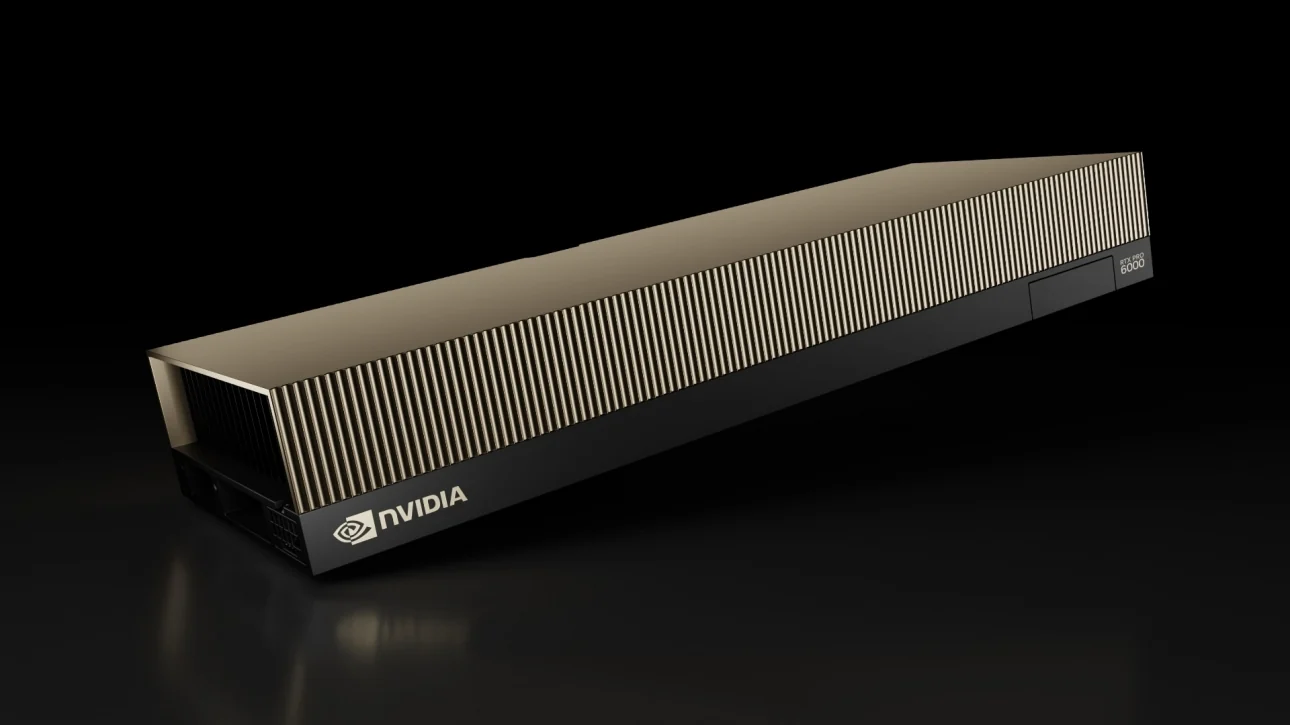
Generational change in enterprise professional GPUs is not only about peak compute, but about memory working sets, form factor and power, multi-instance and virtualization capabilities, and driver and application certification. From the Ampere-generation RTX A6000 and the Ada-generation RTX 6000 Ada to the Blackwell-generation RTX PRO series, flagship single-card memory has grown from 48 GB to 96 GB, and the lineup now extends to server editions and MIG partitioning. This article reviews the evolution of professional GPUs and how to evaluate them, starting from CAD/CAE, rendering, digital twin, local AI and virtual workstation workflows.
Key Takeaways
- Memory: RTX A6000 and RTX 6000 Ada carry 48 GB; RTX PRO 6000 Blackwell rises to 96 GB GDDR7, RTX PRO 5500 carries 84 GB, and RTX PRO 5000 comes in 48 GB and 72 GB versions.
- Form factor and power: RTX PRO 6000 comes as a 600W Workstation Edition, a 300W Max-Q Edition and a passively cooled Server Edition; RTX PRO 4000 is a 145W single-slot design.
- Multi-instance: RTX PRO 6000 can be partitioned into up to four 24 GB instances, and RTX PRO 5500 into two 42 GB instances.
- Virtual workstations: RTX PRO 6000 Server Edition and RTX PRO 4500 Server Edition are designed for vGPU deployment.
- Evaluation: Measure representative project files across four stages — open, interact, render and output — rather than relying on a single benchmark score.
Model Overview
| Model | Architecture | Memory | Max power | Form factor and cooling | Status |
|---|---|---|---|---|---|
| RTX A6000 | Ampere | 48 GB GDDR6 ECC | 300W | Dual-slot, active cooling | Shipping |
| RTX 6000 Ada Generation | Ada Lovelace | 48 GB GDDR6 ECC | 300W | Dual-slot, active cooling | Shipping |
| RTX 5000 Ada Generation | Ada Lovelace | 32 GB GDDR6 ECC | 250W | Dual-slot, active cooling | Shipping |
| RTX PRO 6000 Blackwell Workstation Edition | Blackwell | 96 GB GDDR7 ECC | 600W | Dual-slot, double flow-through cooling | Shipping |
| RTX PRO 6000 Blackwell Max-Q Workstation Edition | Blackwell | 96 GB GDDR7 ECC | 300W | Dual-slot, blower cooling | Shipping |
| RTX PRO 6000 Blackwell Server Edition | Blackwell | 96 GB GDDR7 ECC | Configurable 400W to 600W | Passive cooling | Shipping |
| RTX PRO 5500 Blackwell | Blackwell | 84 GB GDDR7 ECC | 600W | Rack-mounted workstation deployment, air or liquid cooling | Specifications published |
| RTX PRO 5000 Blackwell | Blackwell | 48 GB / 72 GB GDDR7 ECC | 300W | Dual-slot, blower cooling | Shipping |
| RTX PRO 4500 Blackwell | Blackwell | 32 GB GDDR7 ECC | 200W | Dual-slot, blower cooling | Shipping |
| RTX PRO 4500 Blackwell Server Edition | Blackwell | 32 GB GDDR7 ECC | 165W | Single-slot, passive cooling | Launched |
| RTX PRO 4000 Blackwell | Blackwell | 24 GB GDDR7 ECC | 145W | Single-slot, active cooling | Shipping |
| RTX PRO 4000 SFF Blackwell | Blackwell | 24 GB GDDR7 ECC | 70W | Low-profile, dual-slot | Shipping |
One Project File, Several Kinds of Waiting
Waiting on a workstation is spread across different stages, and the GPU is only one of them; the benefit of a new card depends on the stage that most affects delivery.
An engineer opens a large scene, rotates a model, starts a render and then processes the output with AI tools. It looks like one piece of work, but it passes through different bottlenecks: opening a file waits on storage and network; model manipulation is limited by single-threaded CPU performance, drivers or synchronization; only rendering saturates the GPU; and AI post-processing consumes GPU memory. Using a score from the last stage to represent the whole working day overstates the improvement a new card brings.
CAD/CAE, digital twins, offline rendering, visualization and local AI tools share some hardware capabilities, but no single metric represents all of them. Generational comparison of professional GPUs should start by identifying the waiting stage that most affects delivery, and then decide which layer to upgrade.
Memory Working Sets: From 48 GB to 96 GB
The most direct generational change in professional GPUs is the working set a single card can hold.
RTX A6000 (Ampere) and RTX 6000 Ada both carry 48 GB of GDDR6; in the Blackwell generation, RTX PRO 6000 rises to 96 GB of GDDR7 with about 1.8 TB/s of memory bandwidth. The 84 GB RTX PRO 5500 and the 72 GB RTX PRO 5000 fill the capacity range between 48 GB and 96 GB.
RTX A6000 supports two-way NVLink bridging for high-speed data exchange between two cards; neither RTX 6000 Ada nor RTX PRO 6000 provides NVLink. On newer platforms, single-card memory capacity therefore becomes the main condition for holding a complete working set.
The working set should account for geometry, textures, render buffers, display output and local AI models together. When data is frequently moved out of GPU memory, higher peak compute does not necessarily improve interactive smoothness; once capacity is sufficient, the bottleneck may shift to the CPU, storage or network.
Form Factor, Power and Cooling
The same model can come in several form factors and power configurations, and the full product name determines the suitable chassis, power supply and deployment.
RTX PRO 6000 Blackwell comes in three editions, all with 96 GB GDDR7:
- Workstation Edition: 600W with double flow-through cooling, targeting maximum single-card performance in a single-GPU workstation.
- Max-Q Workstation Edition: 300W with blower cooling that exhausts heat out of the rear of the chassis, suited to configurations of up to four cards in one workstation.
- Server Edition: Power configurable between 400W and 600W, with passive cooling that relies on server chassis airflow.
RTX PRO 5500 targets rack-mounted workstation deployment with air- and liquid-cooled options. RTX PRO 4500 Server Edition is a 165W single-slot passive design; RTX PRO 4000 is a 145W single-slot design for high-density workstations; and RTX PRO 4000 SFF is a 70W low-profile design for compact workstations. Power and cooling determine how many cards a chassis can hold and how it must be powered.
Multi-Instance GPU and Virtual Workstations
When multiple users share a GPU, capacity should be planned around concurrent workloads, and MIG and vGPU support should be confirmed first.
MIG (Multi-Instance GPU) partitions a single card into multiple isolated instances, each with dedicated memory and compute resources:
- RTX PRO 6000 (all three editions): up to four 24 GB instances, or two 48 GB instances.
- RTX PRO 5500: up to two 42 GB instances.
- RTX PRO 5000: up to two instances.
- RTX PRO 4500 Server Edition: up to two 16 GB instances.
vGPU serves multi-user virtual workstations (VDI). RTX PRO 6000 Server Edition and RTX PRO 4500 Server Edition are designed for vGPU deployment; RTX PRO 6000 Max-Q Workstation Edition does not support vGPU software.
Virtual workstation capacity cannot be estimated by multiplying a single-user test result by the number of users. When several users rotate models, start renders or read large files at the same time, they jointly consume GPU memory, encoders and network resources. Planning should measure normal interaction, peak login and the busiest periods separately, and check the vGPU software version, GPU support list and license type.
Professional GPUs and GeForce
GeForce RTX 5090 and RTX 5080 share the Blackwell architecture and are positioned for individual creation and local compute; professional GPUs are designed for enterprise deployment conditions.
GeForce RTX 5090 carries 32 GB of GDDR7 with a maximum power of 575W; RTX 5080 carries 16 GB of GDDR7. On the same architecture, professional GPUs add ECC memory, ISV application certification, enterprise drivers, MIG and vGPU support, RTX PRO Sync for synchronized multi-display output, and passive cooling in server editions.
Evaluation can begin by dividing use cases into individual creation, design review, render nodes, local inference and multi-user virtual workstations, then keeping representative files and test procedures for each. Gaming performance, AI TOPS or a single rendering score reflect only one part of the work.
Workloads and Platform Considerations
| Workload | Key platform considerations | Representative models |
|---|---|---|
| Interactive CAD/CAE design | Single-threaded CPU performance, driver certification, moderate memory | RTX PRO 4000, RTX PRO 4500 |
| Large assemblies and simulation pre/post-processing | Memory working set and ECC | RTX PRO 5000 (72 GB), RTX 6000 Ada |
| Offline rendering and visualization | Memory capacity, ray tracing performance, multi-GPU scaling | RTX PRO 6000 Workstation Edition, RTX PRO 6000 Max-Q |
| Digital twins and large scenes | Memory capacity and multi-display output | RTX PRO 6000, RTX PRO 5500 |
| Local AI inference and fine-tuning | Memory capacity and MIG partitioning | RTX PRO 6000, RTX PRO 5500, RTX PRO 5000 (72 GB) |
| Virtual workstations (VDI) | vGPU support, MIG, passive cooling | RTX PRO 6000 Server Edition, RTX PRO 4500 Server Edition |
| Compact workstations | Power and size | RTX PRO 4000 SFF |
Evaluation Framework
Measuring representative project files across four stages is how the real value of a new GPU generation becomes visible.
| Stage | Metrics |
|---|---|
| Open | Load time, storage and network read speed |
| Interact | Frame rate, latency and stutter count when rotating and sectioning models |
| Render | Single-frame and full-sequence render time, peak GPU memory usage |
| Output | Export, encoding and AI post-processing time and result quality |
| Multi-user | Per-user experience during peak login and the busiest periods |
Record the application version, driver version, resolution, project file size and number of concurrent users with each test. If measurements show the limit lies in storage, the CPU or the network, addressing that bottleneck first allows a GPU upgrade to show its full effect on delivery time.
Representative Models and Specifications
Ampere and Ada Generations
- RTX A6000: 48 GB GDDR6 ECC, 300W, two-way NVLink bridging.
- RTX 6000 Ada Generation: 48 GB GDDR6 ECC, 300W.
- RTX 5000 Ada Generation: 32 GB GDDR6 ECC, 250W.
RTX PRO 6000 Blackwell
24,064 CUDA cores; 96 GB GDDR7 ECC on a 512-bit interface with 1,792 GB/s of bandwidth; PCIe 5.0 x16; four DisplayPort 2.1b outputs; MIG with up to four instances. Workstation Edition 600W, Max-Q Workstation Edition 300W, Server Edition configurable from 400W to 600W.
RTX PRO 5500 Blackwell
21,760 CUDA cores; 84 GB GDDR7 ECC with 1,398 GB/s of bandwidth; 600W maximum power; PCIe 5.0 x16; MIG with up to two 42 GB instances; designed for rack-mounted workstation deployment with air- and liquid-cooled options.
RTX PRO 5000, 4500 and 4000 Blackwell
- RTX PRO 5000: 48 GB or 72 GB GDDR7 ECC, 384-bit interface, 1,344 GB/s of bandwidth, 300W, MIG support.
- RTX PRO 4500: 32 GB GDDR7 ECC, 256-bit interface, 896 GB/s of bandwidth, 200W. The Server Edition is a 165W single-slot passive design with vGPU and MIG support.
- RTX PRO 4000: 24 GB GDDR7 ECC, 192-bit interface, 672 GB/s of bandwidth, 145W single-slot design. The SFF version is a 70W low-profile design.
GeForce for Comparison
- GeForce RTX 5090: 21,760 CUDA cores, 32 GB GDDR7, 575W.
- GeForce RTX 5080: 16 GB GDDR7.
FAQ
- What is the difference between the three editions of RTX PRO 6000 Blackwell?
- All three carry 96 GB GDDR7 ECC. The Workstation Edition is a 600W design with double flow-through cooling for maximum single-card performance; the Max-Q Workstation Edition is a 300W blower design suited to multi-GPU workstations; and the Server Edition has power configurable between 400W and 600W with passive cooling for servers and vGPU deployment.
- What are the main differences between RTX 6000 Ada and RTX PRO 6000 Blackwell?
- Memory grows from 48 GB GDDR6 to 96 GB GDDR7, and MIG multi-instance capability is added. On power, the Workstation Edition reaches up to 600W while the Max-Q Workstation Edition stays at 300W.
- Which professional GPUs support MIG?
- RTX PRO 6000 (up to four instances), RTX PRO 5500 (up to two 42 GB instances), RTX PRO 5000 (up to two instances) and RTX PRO 4500 Server Edition (up to two 16 GB instances).
- How do professional GPUs and GeForce RTX 5090 differ in use?
- RTX 5090 targets individual creation and local compute; professional GPUs add ECC memory, ISV application certification, enterprise drivers, and MIG and vGPU support for enterprise workstations, render nodes and virtual workstations.
Further Reading
- AI GPUs 2026: H200 to Vera Rubin — Why More Isn't Always Faster
- Balanced Server Design 2026: Every Part Upgraded — Why No Faster?
Sources
- NVIDIA RTX PRO 6000 Blackwell Workstation Edition Datasheet
- NVIDIA RTX PRO 6000 Blackwell Max-Q Workstation Edition Datasheet
- NVIDIA RTX PRO 5500 Blackwell
- NVIDIA RTX PRO 4500 Blackwell
Last updated: 2026-10-18